You’ve found the villa. Infinity pool, palm trees, a terrace made for slow mornings. But then the doubt creeps in: what if the Wi-Fi drops mid-presentation, the power cuts out during a deadline, and the only “desk” is a wobbly coffee table? Working remotely from a villa can be brilliant, but only when the basics hold up under real workday pressure.
The good news is that every one of those risks can be tested, budgeted and fixed before you fly. This guide walks through why villas need more planning than hotels, how to vet the internet connection before you book, and how to build a backup Wi-Fi layer with a local eSIM. We’ll also cover portable power for outages, setting up a desk that survives long stays, timing your visit around seasons and noise, and a final checklist that pulls it all together. Follow it and your workdays stay reliable, wherever the villa is.
Why Working Remotely From a Villa Needs More Planning Than a Hotel
A villa promises focus and tranquility, but that seclusion comes with trade-offs a hotel never presents. Hotels usually run on redundant connections and backup generators because dozens of guests depend on them. A villa, by contrast, often hangs on a single internet line serving the whole property. If that line fails, there is no second route, and the host may be just as stranded as you are.
Power is your problem, not the host’s
Remote coastal and jungle locations see more frequent outages than towns and cities. Many hosts treat electricity as a leisure matter, not a work matter, so few villas keep serious backup power for guests. That means a portable power station and a surge protector belong on your packing list, not in your wish list of requests. If the grid flickers during a storm, your deadline doesn’t care whose responsibility it technically was.
Villas are built for lounging, not typing
Then there’s the furniture. Villas are designed around sofas, daybeds and low tables, which feel wonderful for an evening drink and terrible for a six-hour work block. Hunching over a coffee table for weeks leads to neck and back strain that no amount of scenery can offset. The fix is simple: either request a proper desk setup before booking or bring compact gear that turns a firm table into a workspace. The rest of this guide shows exactly how to handle each of these gaps.
Vetting Wi-Fi Before You Book
The single most important question you can ask a villa host is about the internet, and the second most important is asking for proof. Marketing photos never show bandwidth, so treat the connection as an unverified claim until you see evidence. A serious host will answer quickly and with specifics; hesitation is itself useful information.
Start by asking for a recent speed test screenshot taken at the villa, not a theoretical figure from an internet provider’s brochure. For video calls and large file transfers, treat 50 Mbps download and 10 Mbps upload as your minimum. Upload speed matters just as much as download, because your camera feed, screen sharing and cloud backups all travel upstream.
- Ask about the connection type. Fiber or a dedicated fixed line behaves far better under load than shared mobile broadband, which slows down whenever neighbors or guests stream at the same time.
- Ask who the provider is and how outages are handled. A host who knows their provider’s repair times is a host who has dealt with a line failure before, which tells you the property has a track record of getting fixed.
- Ask how many previous guests worked from the villa. Remote workers are the best stress test of a connection, and a host with repeat digital nomad guests usually has a setup that survives real workdays.
Once the connection checks out, move to timing and location. Book 4-6 weeks ahead in high season to secure the best-connected villas, since the properties with genuine fiber tend to fill first. Also check the distance from the villa to the nearest town center: properties more than 30-45 minutes from a hub usually have fewer repair options if the line fails, which turns a one-day outage into a multi-day problem.
Building Your Backup Wi-Fi Layer
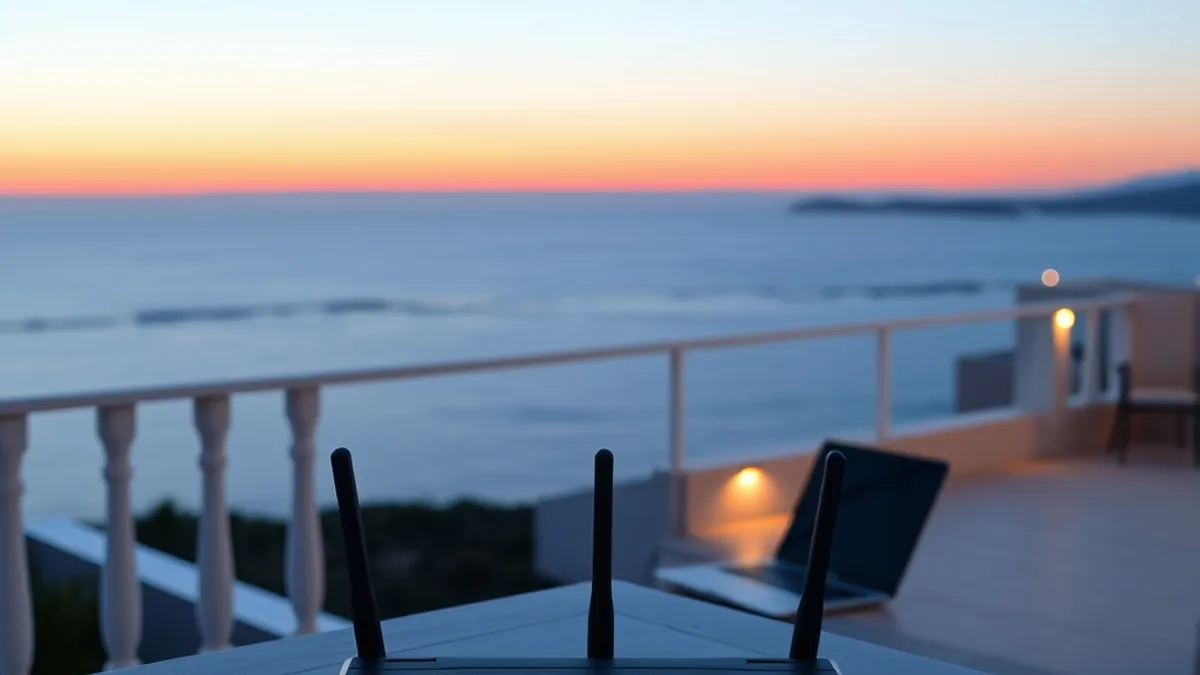
Even a verified fiber connection can fail, so your backup Wi-Fi layer should be completely independent of the villa’s router. A local eSIM data plan on your phone or a mobile hotspot gives you a second path to the internet that no storm, outage or faulty router can take down along with the villa’s line. Think of it as the difference between a single rope and a safety harness: the villa’s connection handles your daily workload, while the eSIM sits quietly in reserve for the moment something breaks. Setting it up takes under an hour if you follow the steps in order, and it costs far less than the value of the workday it can save.
- Buy a local eSIM data plan before or on arrival. Look for 10-20 GB of data for roughly $30-80 per month, which is enough for weeks of video calls and cloud syncing as a backup connection rather than your primary one.
- Test the mobile signal on arrival, before your first workday. Run a speed test on the eSIM in the room where you plan to work, at the hours you’ll actually be online, so you know the backup is real and not just theoretical.
- Find your signal sweet spot if bars are weak indoors. Thick villa walls can block mobile signal, so work near a window or on the upper floor if the indoor reception is poor, and note that spot as your failover workspace.
- Set your devices to fail over automatically. On most laptops and phones you can prioritize mobile data when the Wi-Fi network stops responding, so a dropped villa router switches you to the eSIM mid-call instead of mid-silence.
Once the layer is in place, treat it like insurance rather than a daily connection. Keep an eye on your data usage so you don’t burn through the plan in the first week, and top up the eSIM if a longer outage looks likely. It also helps to know which tasks can run on the backup alone: email, messaging and document syncing use very little data, while hour-long video calls drain a plan quickly. If a storm is forecast, consider moving your heaviest calls to the days before it arrives. With a working backup, a villa internet failure becomes an inconvenience measured in seconds, not a lost workday.
Power Backup for Outages and Storms
Electricity in villa destinations can be less stable than the photos suggest. In parts of Bali, coastal Mexico, and rural Thailand, brief outages are a normal part of daily life, and a tropical storm can cut power for hours without warning. If your laptop battery dies and the router goes dark, your workday ends, so a small power setup is one of the smartest things you can pack.
The core of that setup is a portable power station. A unit in the 300-600 Wh range is enough to keep a laptop, the villa’s router, and a light running for 6-10 hours, which covers most outages and keeps your video calls alive. It recharges from a wall outlet in a few hours, and many models can also top up from a car or a small solar panel if the grid stays down longer.
Outages are only half the problem. In regions where the grid fluctuates, voltage spikes can quietly damage a laptop charger or router over weeks of exposure. A basic surge protector or voltage stabilizer costs $15-40 and takes almost no space in your bag. Plug the router and your workstation into it permanently, not just during storms.
Habits matter as much as gear. Charge every device nightly, keep the power station topped up rather than running it down to zero, and treat a flickering light as a signal to save your work immediately. Villas in quieter areas, such as the rice-field enclaves around Ubud, are wonderful places to work, but their distance from town means repairs can take longer, so being self-sufficient is worth the effort.
- Test the power station before your first workday. Run a full video call from it once so you know how long it actually lasts with your specific laptop, not just the manufacturer’s estimate.
- Identify the villa’s router on arrival. Ask your host which plug it uses, because keeping the router on the power station during an outage preserves your Wi-Fi even when the villa lights are out.
- Check whether the unit supports pass-through charging. Some power stations can charge themselves while powering your devices, which keeps your setup ready without daily manual top-ups.
- Ask the host about the outage pattern. Locals usually know whether cuts last ten minutes or half a day, which tells you whether a single power station is enough or you should plan around longer gaps.
Setting Up a Desk That Survives Long Stays
Start With the Right Table
Most villa interiors are made for relaxing, and that becomes a problem fast when your office is a sofa. Low coffee tables look charming in photos but wreck your neck within a week. Before booking, message the host and ask specifically for a dedicated desk or a firm table at around 72-76 cm in height, paired with a chair that supports real working sessions of 2-3 hours. A dining table is a perfectly acceptable substitute, and most villas have one; what you want to avoid is balancing a laptop on your knees for a multi-week stay.
If the host’s answer is vague, ask for photos of the workspace before you commit. Hosts respond well to concrete requests, and a villa that already has a proper desk is usually one that has hosted remote workers before.
Bring the Ergonomics With You
A compact laptop stand and an external keyboard weigh almost nothing in your luggage and change everything about posture. The goal is simple: the top of your screen should sit at eye level while your hands rest at elbow height. That setup keeps long work blocks sustainable, whereas a laptop flat on a table pulls your head down and strains your neck and back within days.
Position matters too. Set up near a window so you get natural daylight, but check where the afternoon sun lands and shift your table out of the glare if you can. For video calls, face a wall rather than a window; backlighting turns you into a silhouette, and a plain wall gives you a controlled, tidy background without effort. A small tweak on day one keeps your workdays comfortable for the whole stay.
Timing Your Stay Around Seasons and Quiet
Season shapes every part of a villa work stay. The same storms that make the landscape lush also threaten your power and connectivity, so the first rule is to avoid the peak rainy windows. In most tropical destinations these run roughly November to March, or June to October depending on the region, so check which pattern applies to your chosen destination before locking in dates.
Shoulder season is the sweet spot for working guests. Villa rates drop noticeably, and in multi-villa estates fewer guests share the same bandwidth, which means faster evenings and steadier video calls. You trade a little weather risk for a lot of quiet, and most remote workers find that trade well worth making.
One more layer of planning: local celebrations. A festival near your villa can turn your core working hours into a wall of sound, and no desk setup fixes that. A quick check of local holidays and festival dates before booking protects your calendar as much as any backup kit.
- Search for the destination’s event calendar, not just its weather. Religious holidays and national festivals are published well in advance and are often the biggest noise factor of the year.
- Ask the host what the neighborhood sounds like in the evenings. Locals know whether a nearby temple, beach bar or road gets loud, and their answer is more reliable than any review.
- Book dates just after a major festival rather than during one. You still catch the festive atmosphere in town while your workdays stay quiet at the villa.
- Keep one buffer day at the end of your stay. Late-season storms and flight delays are easier to absorb when your last workday is not also your departure day.
The Remote Work Villa Checklist
That worry you had when you booked the villa — that the Wi-Fi would crawl, the power would cut out mid-call, and you’d spend three weeks hunched over a coffee table — is completely solvable. It just takes a bit of planning before and during your stay.
A villa that works is one with verified fiber internet, a mobile data backup, surge protection and a real desk. Secure the best-connected properties early, since the top spots get snapped up quickly once the high season calendars open. Budget for backup data as a monthly line item, and pack a portable power station so an outage never ends your workday. Time your stay in shoulder season and you get reliable workdays inside a setting that still feels like a holiday. If this helped you plan your own workation, leave a comment or share this article with a fellow remote worker.