Many travelers arrive at a hotel unsure whether they still need a front desk, a plastic key card, or just their phone to get into their room. The answer depends on the property, and digital check-in has changed what the arrival experience looks like. Some hotels let you skip the desk entirely, while others still hand you a card at a kiosk or a counter.
This guide explains what digital check-in actually involves, how mobile keys talk to door locks, and what to do at a self-service kiosk. It also covers the most common mobile key problems and their quick fixes, plus the situations where a traditional key card is still the smarter choice. By the end, you will know exactly what to expect before you walk through the door.
What Digital Check-In Actually Means
Digital check-in lets you handle the boring parts of arrival before you even leave the airport. From the hotel’s app, you confirm your identity, verify the credit card that will cover the stay, and choose preferences such as a high floor, a quiet room away from the elevator, or a late arrival time. Everything you would normally answer at the front desk gets sorted out in advance.
When does the window open?
Most chains open the check-in window 24-48 hours before your arrival date, and it usually closes a few hours before the official check-in time. You will typically get a push notification or an email when it opens, so it pays to have the hotel’s app installed and notifications switched on before travel day.
Why bother doing it early?
Completing digital check-in early often unlocks the option to skip the front desk entirely. Once the hotel has verified your identity and payment card, it can send you a mobile key or prepare a card for a kiosk, meaning you can walk straight to your room. If you arrive on a late flight after a long day, that difference is easy to appreciate. The whole process usually takes only a few minutes, and doing it while you still have good Wi-Fi beats fumbling with it in a hotel lobby.
From Plastic Key Cards to Mobile Keys
Traditional key cards are simple pieces of plastic with a hidden job. Older versions carry a magnetic stripe, while most modern cards contain an RFID chip. Either way, the front desk encodes the card with your room number and your stay dates, and the door lock reads that information every time you tap or insert the card.
What a mobile key actually is
A mobile key replaces that plastic with an encrypted credential sent to the hotel’s app after you complete check-in. Your phone becomes the key, and the door lock communicates with it over Bluetooth Low Energy. There is nothing to encode and nothing to demagnetize in your pocket.
Do you have to choose one or the other?
In most cases, no. RFID cards and BLE mobile keys talk to the same door locks, so many hotels support both side by side. You might use your phone all week while a travel companion carries a plastic card, and both will open the same door without any conflict.
The security side is handled automatically. Plastic key cards are typically deactivated at checkout or after the stay end date, so yesterday’s guest cannot wander back into your room. Mobile keys work the same way: the credential simply expires when your reservation ends, and the app removes it or marks it inactive. If you extend your stay, the hotel updates the credential rather than issuing a new one.
How Mobile Keys Work Step by Step
The mobile key is the payoff for completing digital check-in, and setting it up takes only a few minutes. The order of operations matters, though: the app will not issue a key until your reservation is attached to your account and check-in is complete. Work through the steps below before you leave for the airport, and the whole thing usually goes smoothly on the first try.
- Download the hotel’s app and sign in. Use the same account that is tied to your reservation. If you booked through the hotel’s website with a different email, add the reservation to your account using the confirmation number before the check-in window opens.
- Complete digital check-in and add a payment card. Confirm your identity, verify the card on file, and pick any room preferences. Once that is done, the app issues your mobile key as soon as the check-in window opens. Wait for the notification rather than hunting for it early.
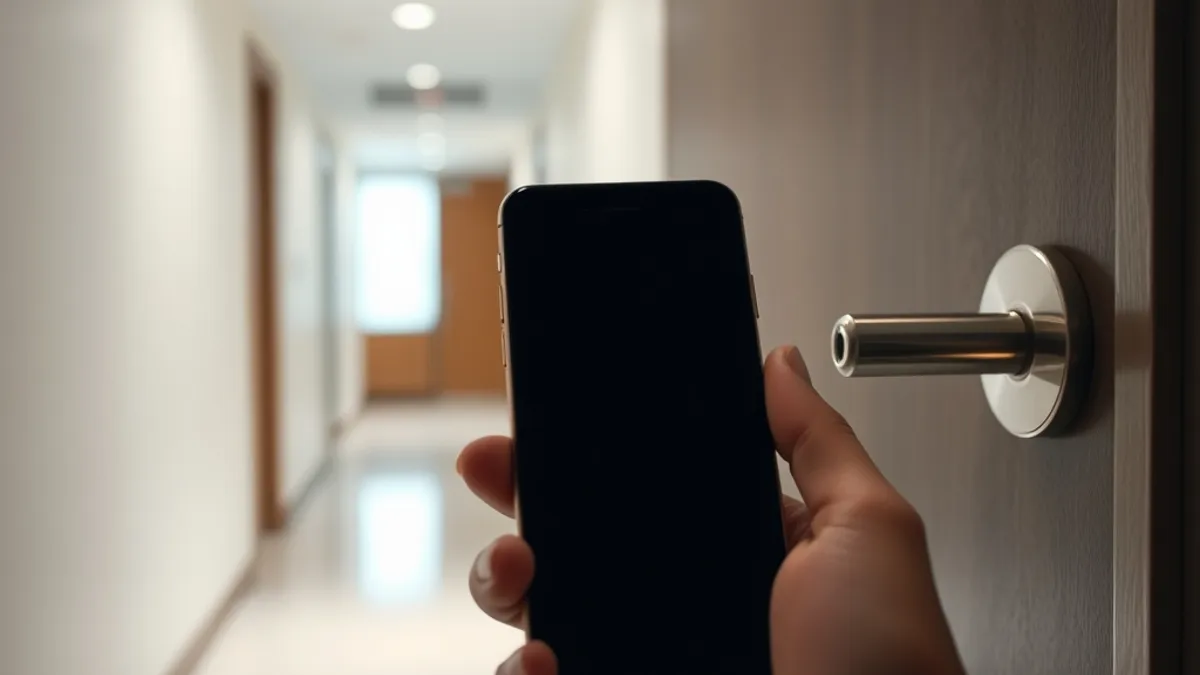
- Enable Bluetooth and unlock the door. Turn Bluetooth on before you reach the room. Hold the phone close to the lock and give it a second or two; the lock will flash or beep when the credential is accepted, then you can turn the handle.
- Keep the app open or running in the background. Some locks will not read a key from a fully closed app, so open it before you get to the door or leave it running in the background during your stay.
One last habit worth building: test the mobile key when you first arrive, while the front desk or a staff member is still nearby. If the credential did not download properly, it is far easier to fix on the spot than at midnight with your luggage in the corridor. A quick tap on your actual room door, not just a glance at the app screen, confirms the key is live.
Also worth knowing: once the key is stored in the app, it generally works without a data connection, so you can set everything up over airport wifi and still open your door hours later. Update the app before your trip as well, since older versions sometimes drop support for newer locks. With the app signed in, Bluetooth ready and the key tested, you can walk straight past the desk and straight into your room.
Self-Service Kiosks and Key Card Pickup
Not every traveler wants to fumble with a phone at the door, and plenty of hotels split the difference with self-service kiosks. These machines let you check in without standing in line at the front desk. After completing digital check-in in the app, you simply scan the QR code from your confirmation email or app at the kiosk, and it prints or encodes a plastic key card on the spot.
The most common hiccup is the scanner failing to read your code. Kiosk scanners need a reasonably bright screen to work reliably, so set your phone brightness to at least 50% before you approach the machine. A dimmed screen in a bright lobby is the number one reason for repeated scanning attempts.
Kiosks shine when it comes to timing. They are fastest outside peak arrival windows, typically mid-afternoon before the 3-5 pm rush, when there is no queue and the machine is freshly stocked with blank cards. If your train or flight gets in early, heading straight to the kiosk can save you a long wait.
- Some properties skip kiosks entirely and leave pre-encoded key cards in a secure pickup wall, where you retrieve your card using a code or your reservation details.
- Smaller or reduced-service properties may hand cards over at a single staffed desk during limited hours, so check what your hotel actually offers before you arrive.
- If the kiosk cannot find your reservation, double-check that the name on the booking matches the ID you scanned during digital check-in, since mismatched names are a frequent cause of lookup failures.
- Families or groups can often have each adult scan the same confirmation code at the kiosk to get a separate card, which avoids sharing one key between rooms or roommates.
Common Mobile Key Problems and Quick Fixes
Mobile keys are convenient until they are not. The good news is that most failures come down to a handful of simple causes, and nearly all of them can be fixed in under a minute. The most common culprit is physical interference: battery packs and phone cases thicker than about 2-3 mm can interfere with the Bluetooth signal reaching the lock, so strip off the case or slide the phone out of your pocket holder at the door.
If the lock simply will not respond, treat it like any misbehaving Bluetooth device. Toggle Bluetooth off and on, then reopen the app to refresh the key. This forces the app to re-establish its connection and re-download the credential, which resolves most stubborn locks.
There is also the obvious risk worth planning around: a drained phone means no room access. If you spend a long day sightseeing with maps, photos and streaming eating your battery, you could arrive back at the hotel with nothing left to open the door. Carry a portable charger on long days out, and top up before you head back in the evening.
- If the credential keeps failing even after a Bluetooth reset, ask the front desk to re-send the mobile key to your app, which regenerates the encrypted credential from scratch.
- A restarted phone often fixes keys that stopped working after an operating system update, since updates can temporarily break the app’s Bluetooth permissions.
- Check that the hotel app has Bluetooth permission enabled in your phone’s settings, not just the system-level Bluetooth toggle, as apps can lose permission after updates.
- When nothing else works, the front desk can reissue a plastic card on the spot, so you are never locked out of your room entirely.
When a Traditional Key Card Is Still the Better Choice
Despite the push toward mobile keys, the plastic card is not going away, and in some situations it remains the smarter pick. Older boutique and independent properties often run magnetic-stripe locks that no app can open. These hotels simply do not have RFID or Bluetooth hardware in their doors, so a physical card is the only option regardless of what their booking page implies.
Sharing a Room With Someone Else
Travelers sharing a room may prefer a plastic card each rather than passing one phone around. If you are heading to the pool while your partner naps, separate cards mean nobody has to coordinate handoffs or wake anyone up to get back inside. Most hotels issue a card per registered guest at check-in, so just ask.
Battery Anxiety and Backup Keys
If your phone battery is unreliable, request a physical card at check-in as a backup even when the hotel supports mobile keys. A phone that dies at the door turns a minor inconvenience into a trip to the lobby, possibly late at night. There is no downside to carrying both.
Lost cards are usually reissued free at the front desk, though some properties charge a small fee, so it pays to check the policy when you check in. Either way, a lost card is a two-minute fix, which is more than can be said for a dead phone at midnight.
Checking In Made Simple
So do you still need to stop at reception, carry a room key, or even bring anything besides your phone? The honest answer: it depends on the property, but at many hotels you can skip all three in their traditional form. Digital check-in typically opens 24-48 hours before arrival and pairs with either a mobile key delivered to your app or a card printed at a self-service kiosk, letting you walk straight to your room.
Once you reach the door, mobile keys work over Bluetooth within roughly 1-2 meters of the lock, and a plastic card remains a reliable fallback if anything goes wrong. In practice, a charged phone, a thin case and the hotel app installed before you travel cover most situations. If you have tried digital check-in at your favorite hotel chain, tell us how it went in the comments or share this article with a fellow traveler.